
How to Build a High-Converting Business Website
**A high-converting business website** makes it easy for the right people to understand your offer, trust your business and take the next step. That might mean requesting a quote, booking a consultation or making a purchase. Good results come from clear messaging, useful content, accessible design, reliable performance and a simple conversion journey.
Use this guide as a practical framework. Start with customer needs and business goals, prioritise the pages and features that support them, and improve the experience using real visitor behaviour.
Set clear goals and understand your audience
Decide what the website must achieve before choosing its design or technology. A service business may prioritise qualified enquiries and consultation bookings, while an online store may focus on completed purchases. Choose one primary conversion and a few supporting measures so the project has a clear direction.
Define your target customers, their main questions, the problems they need solved and why they should choose your business. Capture these decisions in a short brief with your offer, differentiators, required features, budget, timeline and success measures.
Plan the pages and content
Create a sitemap around the decisions visitors need to make. Most business websites need a clear homepage, service or product pages, an about page, useful proof such as case studies or testimonials, and an obvious contact or enquiry path. Add pages when they serve a real customer need rather than simply making the site larger.
Give each page one main purpose and one clear next step. Write specific headings, concise explanations and useful calls to action. Answer common questions directly, use descriptive internal links and keep navigation labels familiar.
Design for usability, accessibility and trust
Make the value proposition obvious near the top of the page: who you help, what you offer and what visitors can do next. Use a readable type scale, consistent spacing, clear visual hierarchy and purposeful imagery. Design elements should support understanding, not compete with the message.
Build for keyboard navigation, visible focus states, sufficient colour contrast, labelled forms and useful error messages. Support important claims with genuine testimonials, relevant project examples, clear contact details and transparent information about your process. Trust is stronger when evidence is specific and verifiable.
Optimise mobile experience, speed and SEO
Design and test for small screens from the start. Check navigation, tap targets, forms, headings, images and calls to action on real mobile devices or realistic device emulation. Remove unnecessary steps from important tasks and make forms comfortable to complete.
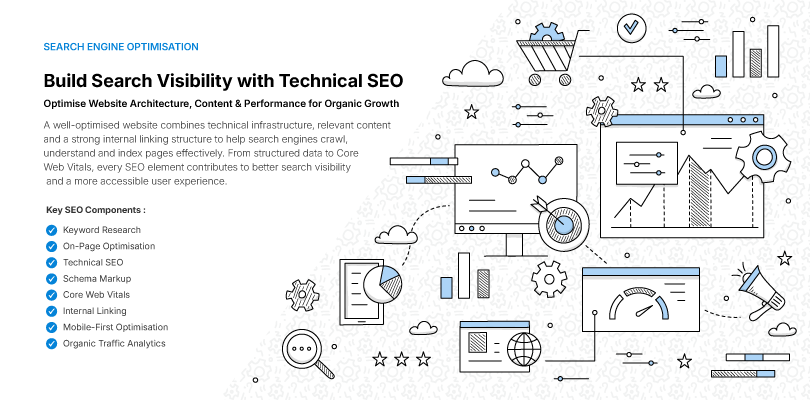
Improve loading performance by resizing and compressing images, limiting unnecessary scripts and avoiding heavy effects that do not help users. Give every important page a unique title and description, a clear heading structure, a suitable canonical URL, descriptive links and relevant structured data. Keep the XML sitemap and indexing directives accurate.
Publish content that proves your expertise
Create content that helps prospective customers make a decision. Explain your services, process, deliverables and relevant experience in plain language. Case studies should describe the challenge, your approach and the outcome without exaggerating results.
Use articles and FAQs to answer real questions, not to repeat keywords. Organise related topics logically, link to relevant services where useful, and review pages regularly for outdated information. Helpful, original content supports both visitor confidence and long-term search visibility.
Make conversion paths simple and measure results
Place clear calls to action where visitors have enough information to act. Match the wording to the task, explain what happens after submission and ask only for information you genuinely need. Test form validation, confirmation messages, email notifications and follow-up ownership—not just the button itself.
Measure meaningful outcomes such as qualified leads, completed bookings, purchases and conversion rates. Use analytics to identify where people abandon a task, then test focused improvements. A high volume of visits is not useful if the website attracts the wrong audience or fails to turn interest into business.
Common conversion problems and practical fixes
| Problem | What to review | Practical improvement |
|---|---|---|
| Visitors do not understand the offer | Headline and service explanation | State who you help, what you do and the next step |
| Forms are abandoned | Length, errors and mobile usability | Remove unnecessary fields and explain errors clearly |
| Visitors hesitate to enquire | Missing process details or evidence | Explain what happens next and show relevant proof |
| Leads are not followed up | Notifications and ownership | Test delivery and assign follow-up responsibility |
Choose a platform, budget and timeline that fit
Choose technology based on the required experience, publishing workflow, integrations, security and long-term maintenance. A content management system may suit teams that publish frequently; an e-commerce platform supports product and checkout workflows; custom development can fit specialised requirements. Avoid adding complexity without a clear business reason.
Project cost and delivery time depend on page count, content preparation, design complexity, integrations, migration, testing and approval speed. Agree on scope, responsibilities, milestones and acceptance criteria early. Plan ongoing hosting, updates, backups, monitoring and support separately from the initial build.
Website platform options at a glance
| Approach | Potential fit | Key consideration |
|---|---|---|
| Content management system | Teams that update service pages or publish articles | Publishing workflow, extensions and maintenance |
| E-commerce platform | Businesses selling products or services online | Checkout, inventory, payments and integrations |
| Custom development | Businesses with specialised workflows | Build effort, ownership, flexibility and ongoing support |
Launch carefully and keep improving
Before launch, test the main user journeys on desktop and mobile. Check navigation, forms, links, responsive layouts, accessibility basics, page titles, canonical URLs, indexing settings, image behaviour and analytics. Confirm that lead notifications arrive, backups are configured and the right people own website access.
After launch, monitor errors, search visibility, performance and the quality of incoming enquiries. Fix issues based on their impact, update content as services change and schedule regular maintenance. Treat launch as the beginning of an improvement cycle, not the end of the project.
Action plan
Business website launch checklist
Goals and content
confirm the target audience, primary conversion, page list, content owners and calls to action.
Design and accessibility
test mobile layouts, keyboard navigation, contrast, form labels and readable content.
SEO and performance
review titles, descriptions, canonical URLs, internal links, sitemap, indexing settings and image optimisation.
Forms and analytics
test submissions, notifications, confirmation messages, tracking and follow-up ownership.
Operations and maintenance
confirm backups, access permissions, privacy requirements, update responsibilities and support arrangements.
Frequently Asked Questions
How long does it take to build a business website?
A straightforward business website may take a few weeks, while a custom site with extensive content, e-commerce or complex integrations can take several months. The timeline depends on scope, content readiness, approvals, testing and third-party dependencies. Agree on deliverables and milestones before development begins.
How much does it cost to build a business website?
Website cost depends on page count, design requirements, content, functionality, integrations and testing. Budget separately for recurring expenses such as hosting, domain renewal, subscriptions and maintenance. Ask providers for a written scope that explains deliverables, exclusions, payment milestones and ongoing costs instead of comparing headline prices alone.
How do I make my business website SEO-friendly?
Create useful pages that match real customer questions, write descriptive page titles and headings, use contextual internal links, and make sure important URLs can be crawled and indexed. Improve mobile usability and loading performance, maintain an accurate sitemap, and monitor search performance. Avoid duplicate pages and unsupported keyword claims.
What makes a business website convert visitors into leads?
A website is more likely to generate relevant enquiries when it explains the offer clearly, addresses customer concerns, provides credible evidence and presents a suitable next step. Use descriptive calls to action, accessible forms and clear confirmation messages. Track qualified leads as well as form submissions so you can judge business value.
Which platform is best for a business website?
The best platform depends on your content workflow, required features, integrations, budget and maintenance capacity. A content management system may suit frequent publishing, an e-commerce platform may suit online sales, and custom development may suit specialised workflows. Compare long-term ownership and maintenance costs before choosing.
How often should a business website be updated?
Review business-critical information whenever it changes, apply security and dependency updates according to a maintenance schedule, and periodically check content, forms, links, backups and analytics. Review search performance and customer feedback regularly, then prioritise improvements based on evidence rather than redesigning the site without a clear reason.
Conclusion
An effective business website connects clear goals, helpful content, accessible design, strong technical foundations and an easy conversion path. Start with what your customers need, measure whether the site supports your business goals, and improve the areas where visitors encounter friction. A focused, well-maintained experience is more valuable than adding features without a clear purpose.
Loading comments...
Leave a Reply
Your email address will not be published. Required fields are marked *

